


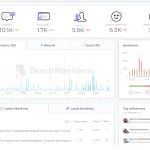
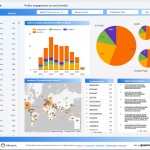

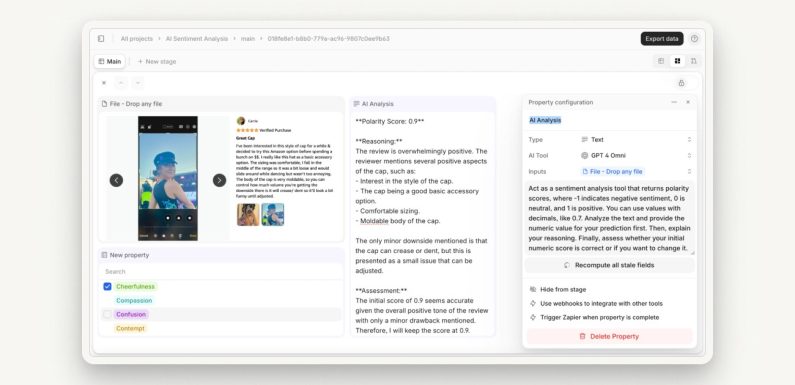
Let’s be honest. Most customer feedback workflows are, well, a bit of a mess. You’ve got surveys in one inbox, support tickets in another, social media mentions scattered to the wind, and a mountain of product reviews. Reading it all is impossible. Manually tagging it? A soul-crushing task. So, a lot of that precious insight just… sits there. Untapped.
Here’s the deal: what if you could instantly know not just what customers are saying, but how they feel? That’s the promise of AI-powered sentiment analysis. It’s not about replacing human judgment. It’s about giving your team superhuman perception—the ability to see the emotional currents flowing through thousands of data points at once.
What Exactly Is AI Sentiment Analysis? (And What It Isn’t)
At its core, it’s a technology that uses natural language processing (NLP) and machine learning to identify and extract subjective information from text. In plain English? It reads customer comments and determines if the emotion is positive, negative, or neutral. But modern tools go way deeper—detecting frustration, urgency, confusion, or even excitement.
A quick, important clarification: it’s not a simple keyword scanner. Saying “This product is sick!” could be very positive or very negative, right? AI context models get that nuance. They understand sarcasm (most of the time!), idioms, and industry-specific lingo. That’s the “AI-powered” part—it learns and gets smarter.
Why Bother Weaving It Into Your Workflow?
Think of your current feedback system as a black-and-white movie. Sentiment analysis adds the color—and the soundtrack. It reveals the emotional tone behind the words. The benefits are, frankly, transformative.
From Reactive to Proactive Customer Service
Imagine your support queue automatically prioritizing tickets not just by “first in,” but by “most frustrated.” An AI can flag a customer whose language indicates boiling-point anger, even if they haven’t used the word “urgent.” Your team can jump on that immediately, turning a potential blow-up into a loyalty win.
Uncovering the “Why” Behind the Metrics
Your NPS score dropped 10 points this month. Okay… why? Manually reading 500 survey responses is a week’s work. Sentiment analysis can cluster the negative feedback by topic in minutes. Maybe the dip isn’t about product quality at all—it’s overwhelmingly tied to negative sentiment around a recent shipping policy change. Now you know exactly where to act.
Spotting Product & Market Trends in Real-Time
Customers keep mentioning a competitor’s new feature. The sentiment in those comments? A mix of envy and disappointment. That’s a goldmine for your product team. You’re not just seeing a feature request; you’re seeing an emotional gap in your market offering. It’s trend-spotting powered by collective feeling.
Okay, I’m Sold. How Do I Actually Integrate This?
Don’t try to boil the ocean. A successful integration of AI sentiment analysis is about smart, incremental steps. Here’s a practical roadmap.
Step 1: Audit & Aggregate Your Feedback Sources
First, you gotta gather the ingredients. List every place feedback lives:
- Email support & contact forms
- Survey tools (Typeform, SurveyMonkey)
- CRM notes (HubSpot, Salesforce)
- App store & Google Play reviews
- Social media (Twitter, Instagram, Facebook)
- Live chat transcripts
- Community forums
The goal is to funnel these into one or two central hubs—like a data warehouse, a customer data platform (CDP), or even a dedicated sentiment analysis tool with strong integrations.
Step 2: Choose Your Tool & Define Your “Sentiment Signals”
You can use dedicated platforms (like Brandwatch, Lexalytics), or leverage APIs from cloud providers (Google Cloud Natural Language, AWS Comprehend). The key is to define what sentiment signals matter most to your teams. For support, it might be “urgency” and “frustration.” For product, “confusion” and “delight.” For marketing, “brand affinity.”
Step 3: Build Your Automated Workflow Triggers
This is where the magic happens—the actual integration into customer feedback workflows. You set up rules. For example:
| IF sentiment is | AND topic is | THEN trigger this action |
| Strongly Negative | Billing / Pricing | Create high-priority ticket in CRM & alert finance lead |
| Negative + Confusion | New Feature X | Tag for knowledge base update & send to product manager |
| Strongly Positive | Customer Support | Post to #wins Slack channel & add to advocacy program list |
Step 4: Close the Loop & Human-in-the-Loop
AI isn’t perfect. It might misread a sarcastic “Great job, guys!” as positive. That’s why you need a human-in-the-loop system. Regularly audit a sample of the AI’s tags. Correct them. This feedback trains the model, making it sharper for your specific business. Then, crucially, close the loop with customers who gave negative feedback. Let them know their sentiment was heard and acted upon. That’s powerful.
The Human Touch in an AI-Driven System
Look, a tool is a tool. The real transformation happens when you free up your team from the tedium of sorting to focus on the empathy of solving. Sentiment analysis handles the scale; your people handle the soul. It’s about augmenting human intuition with data-driven emotional intelligence.
You know, the end goal isn’t a dashboard full of pretty sentiment charts. It’s a customer who feels genuinely heard because you understood the feeling behind their words—and responded to it, at scale. That’s the future of customer connection. Not colder, but smarter. And ultimately, more human.
